Skip to content
Maser

The native agent development environment

Agentic development in one workspace.

Everything you need for agentic development, in one place.

Maser brings agents, context, skills, Git workflows, and delivery together in one native environment—so you can go from intent to reviewed, production-ready code without stitching together multiple tools.
macOS · Windows · Linux / open source / GitHub-ready

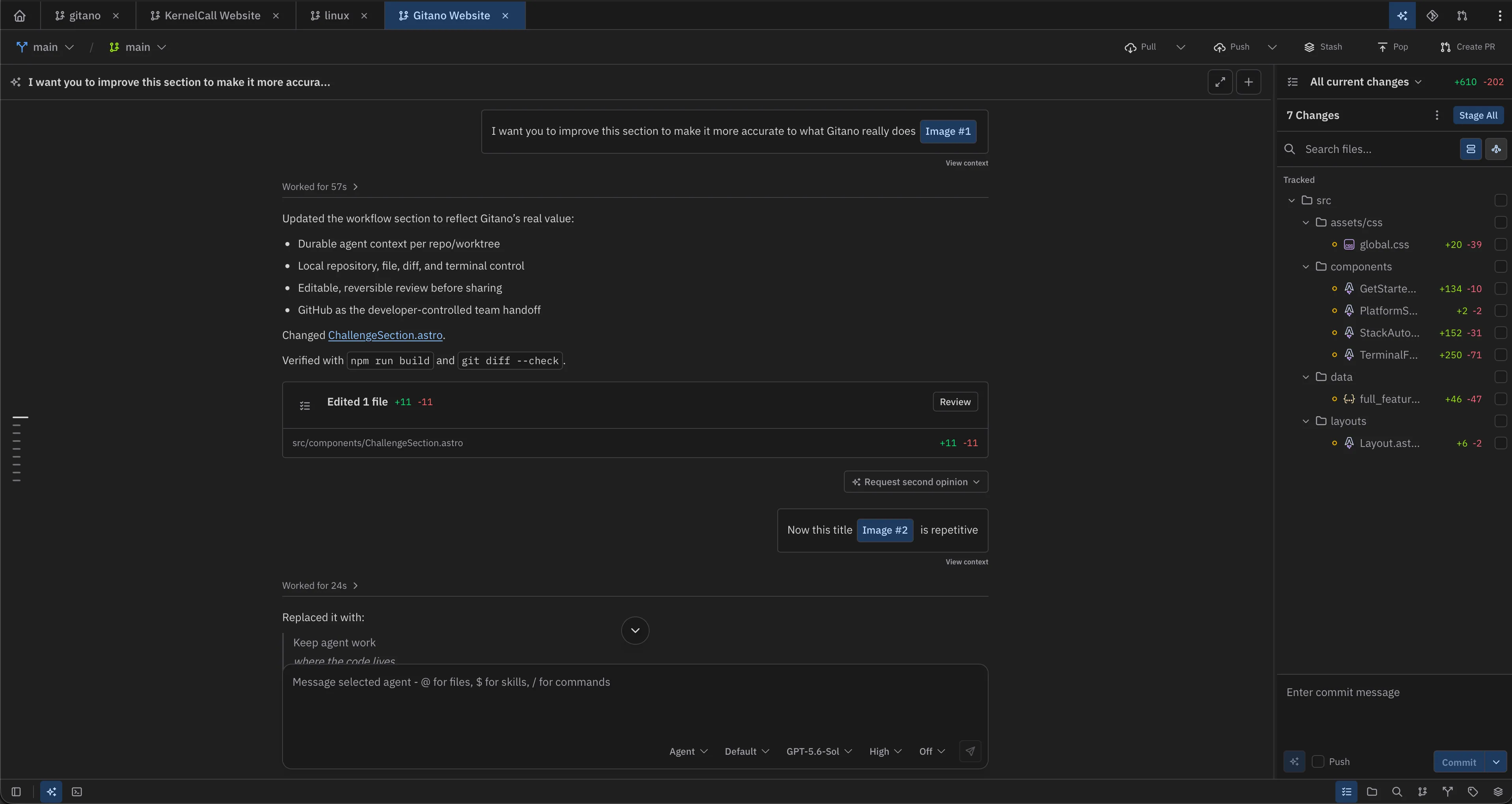
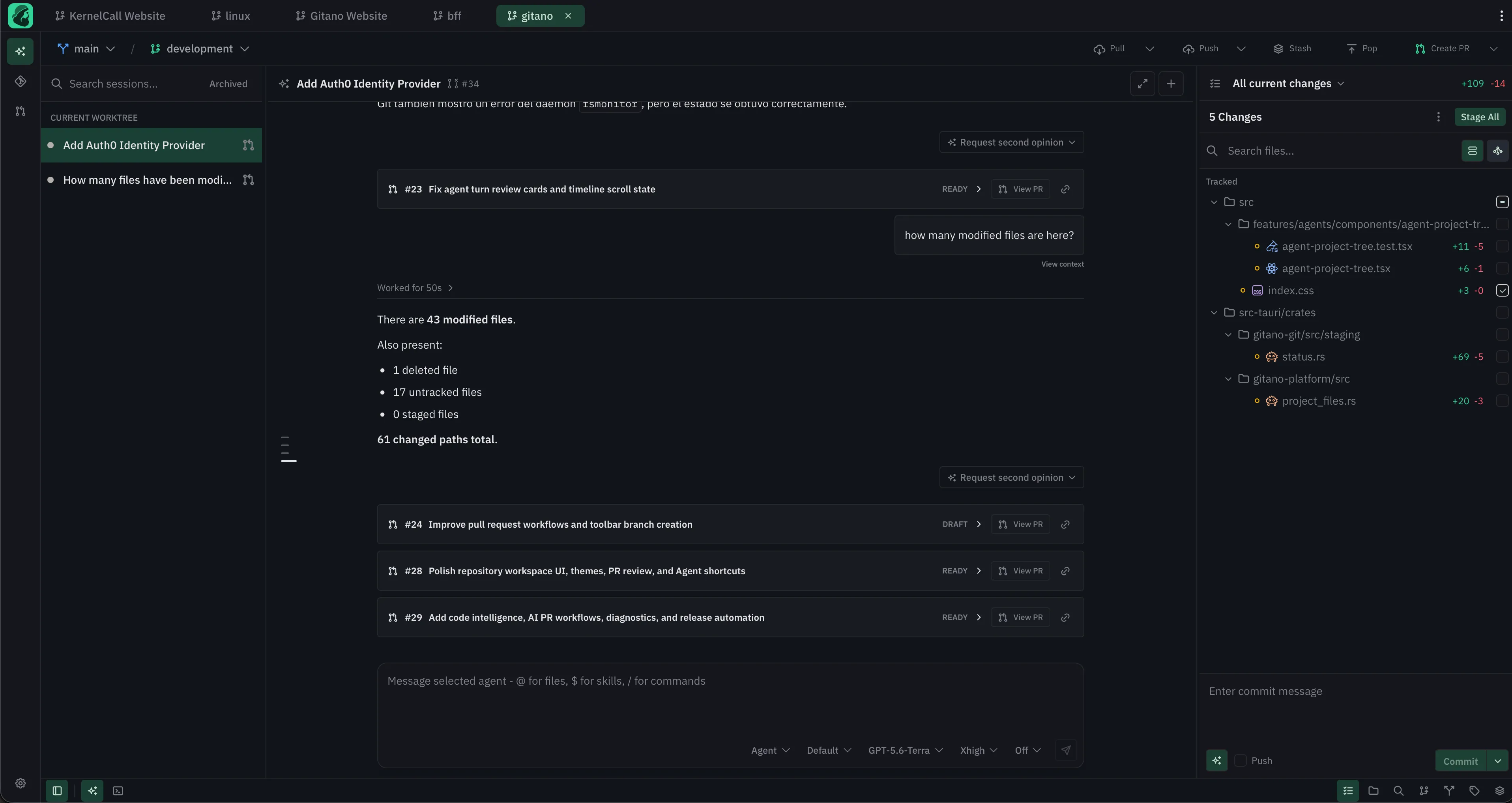
Maser desktop workspace with an agent session, changed files, commit history, and project tree visible together.
Multiple Agents Enriched Agents sessions Handoff to Github
01 Local by default
02 GitHub native
03 Bring your agent
04 Human-reviewed changes

Inside the control room

Every surface stays connected to the repository.

Maser renders agent work as a repository surface, not a modal or a remote chat. Move from session to files, diffs, branches, pull requests, and review without losing the thread.

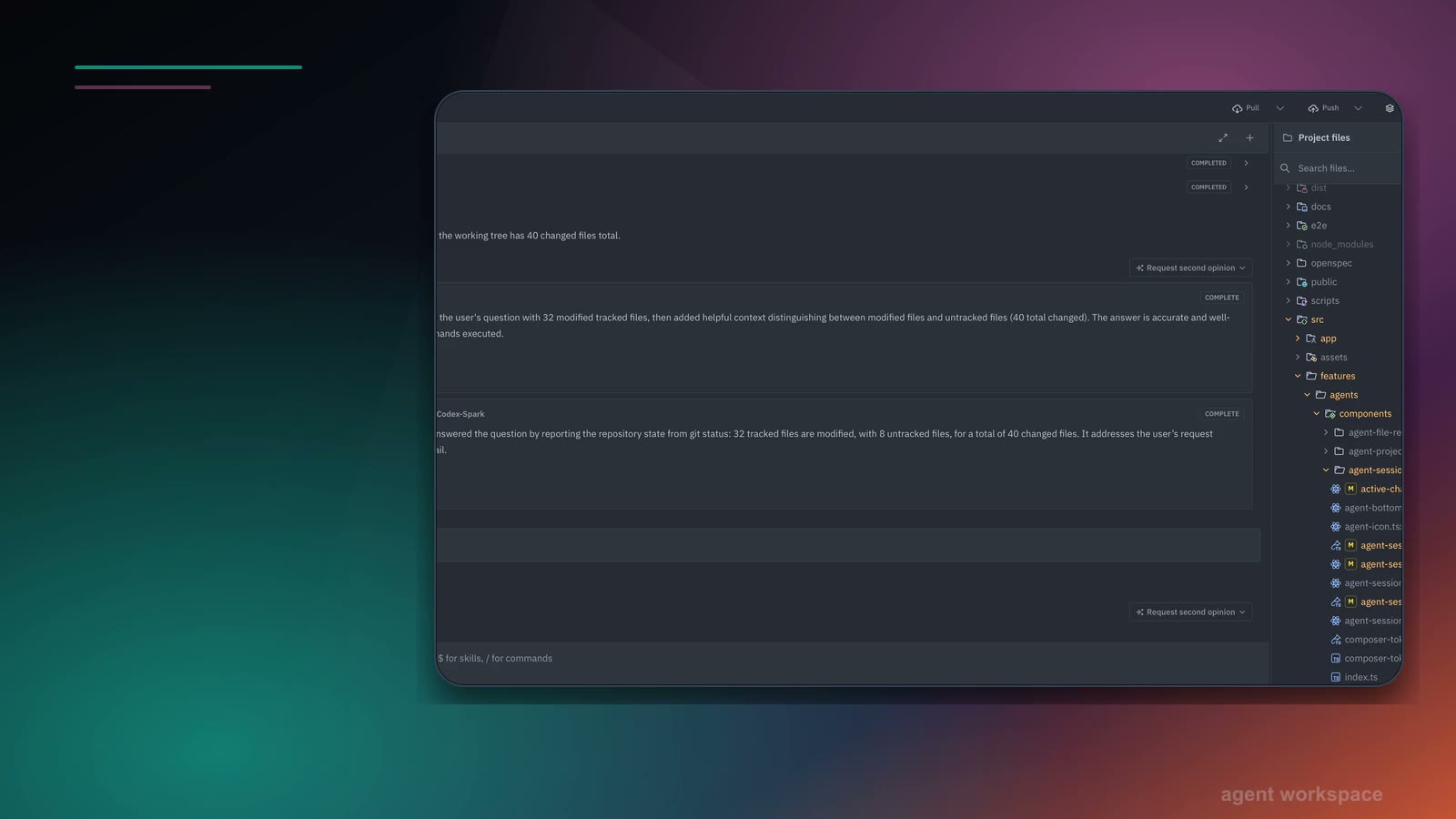
Maser agent workspace with an active session, repository context, current changes, and pull request controls.
ACP-compatiblelocal modelsrepository contextmodel controls

Provider choice

Use the agent provider that fits the task without changing the repository workflow around it.

Session context

Keep the working tree, files, branch, and prior turns attached to the agent run.

Human control

Inspect and decide what moves forward before any change becomes part of the shared workflow.

Current surface

Agents from any provider

Bring the agent you already trust.

Run ACP-compatible providers, familiar coding assistants, or local models in the same repository-aware workspace.

Context kept visible

ACP-compatiblelocal modelsrepository contextmodel controls

Keep the context connected

One workspace for every agent and model.

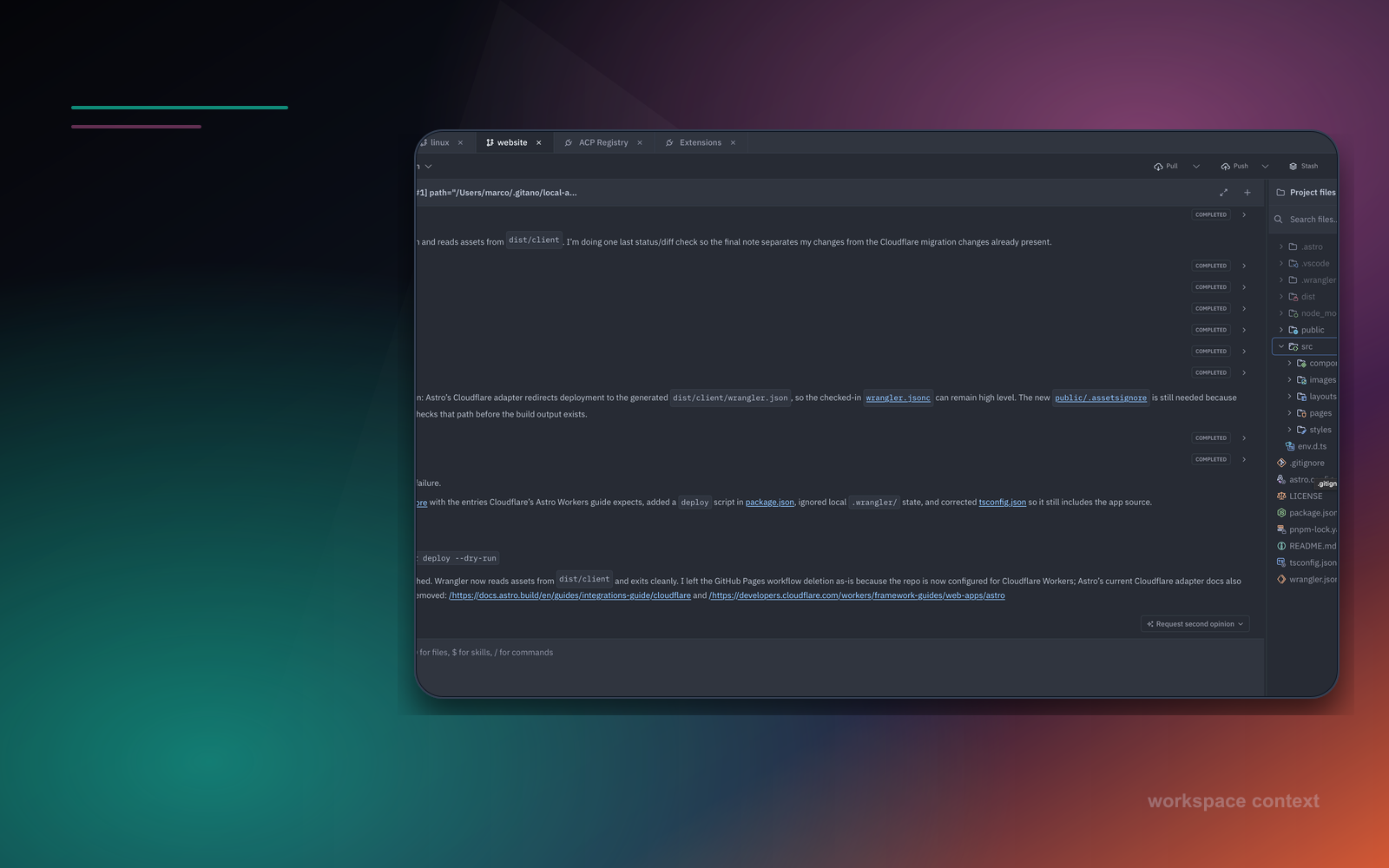
Maser agent session with repository tabs, conversation history, referenced images, current changes, and a message composer.
files + codeimages + linksskills + commandsturn history

Attach context

Add the files, code, and references that help the agent understand the task in front of it.

Reference inline

Keep useful source material close to the prompt instead of scattering it across separate tools.

Continue with context

Return to the session with its references, history, and worktree still available.

Current surface

Reference anything in the session

Keep every useful reference attached to the work.

Bring files, selected code, images, skills, and supported links into the session so the agent can act on context you can inspect.

Context kept visible

files + codeimages + linksskills + commandsturn history

Keep the context connected

Context that stays attached from prompt to result.

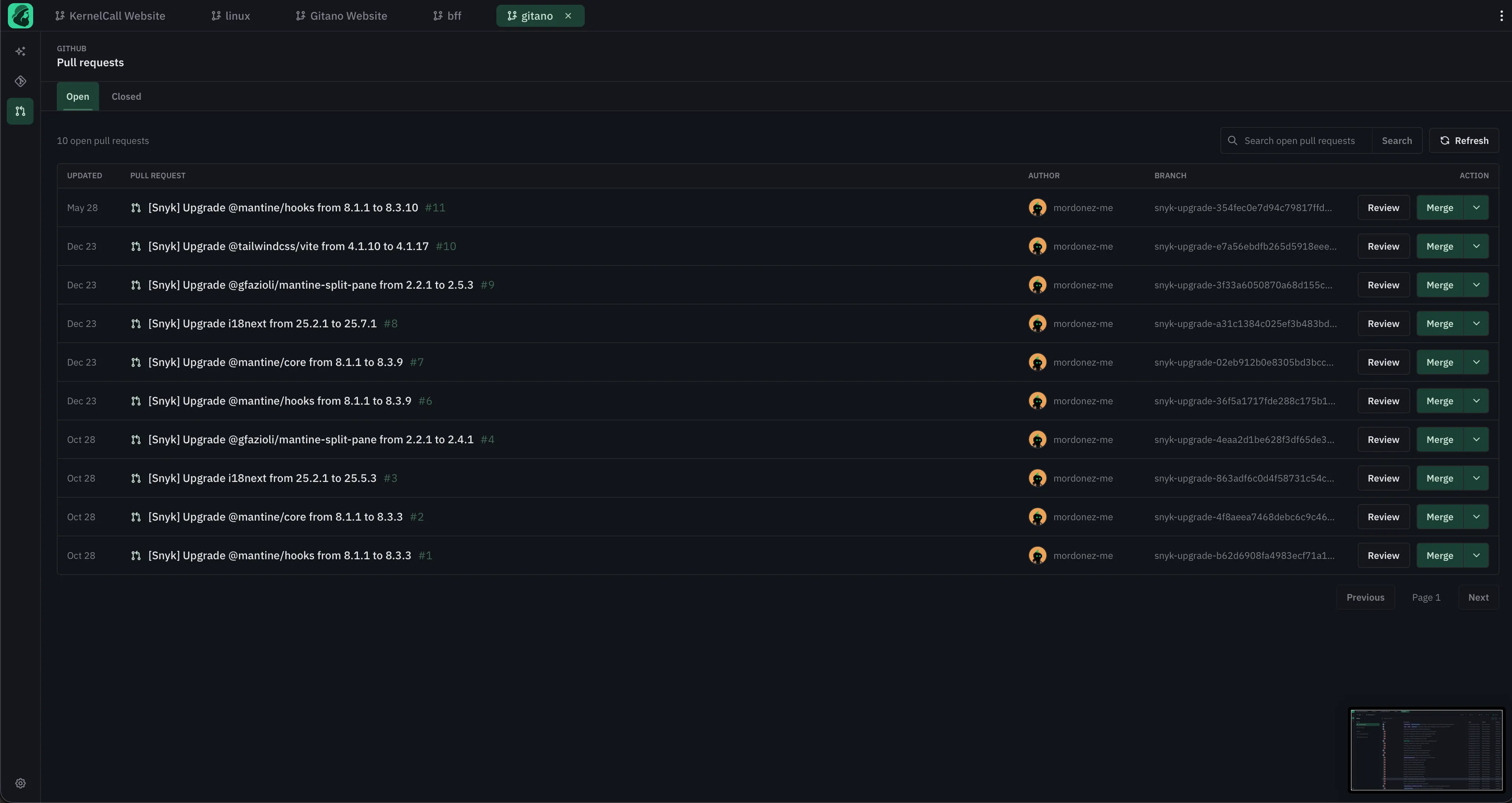
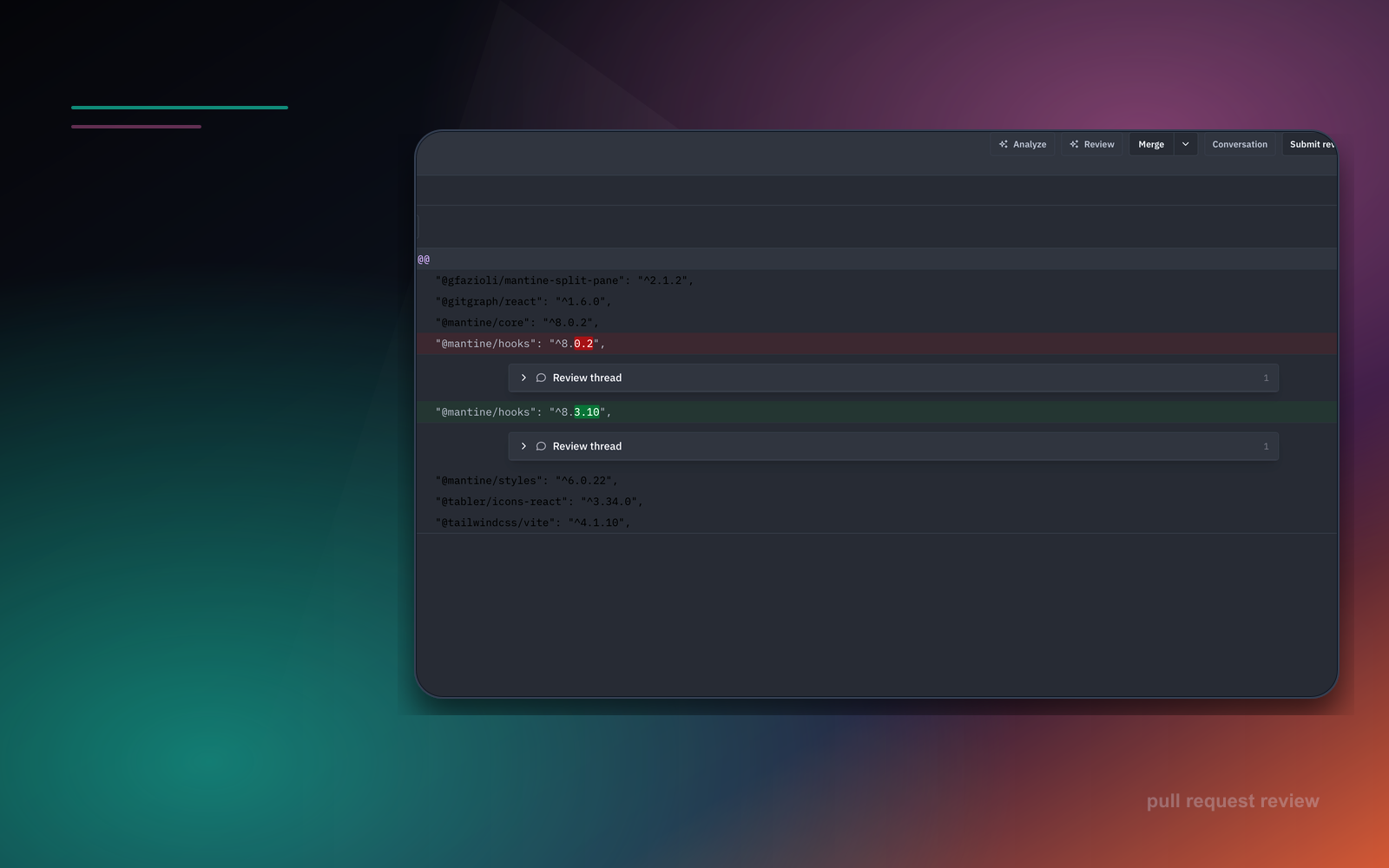
Maser pull request list with repository branches, authors, review actions, merge controls, and GitHub pull request context.
pull request listchanged filesreview threadsmerge controls

Full PR context

Move from the list to the files, conversations, and decisions that shape the review.

Review in place

Read comments, inspect diffs, and respond without abandoning the repository workspace.

Explicit handoff

Approve, request changes, merge, or open a PR only when the work is ready.

Current surface

Full GitHub PR integration

Take pull requests from review to merge.

List pull requests, inspect conversations and changed files, draft feedback, approve, request changes, merge, or open a new PR without leaving Maser.

Context kept visible

pull request listchanged filesreview threadsmerge controls

Keep the context connected

A direct path from local work to GitHub review.

Maser agent workspace with repository controls, current changes, agent conversation, and terminal access in the workspace shell.
terminal tabsrepository scopelive outputfullscreen ready

Parallel commands

Keep setup, tests, and repository commands moving in separate terminal sessions.

Same worktree

Run commands against the repository and branch already in view.

Context stays visible

Keep output close to the agent session, files, and changes it explains.

Current surface

Multiple terminal sessions

Run multiple terminal sessions beside the work.

Keep repository-scoped terminals available while agents run, files change, and Git state remains visible in the same workspace.

Context kept visible

terminal tabsrepository scopelive outputfullscreen ready

Keep the context connected

Terminal work that stays scoped to the active repository.

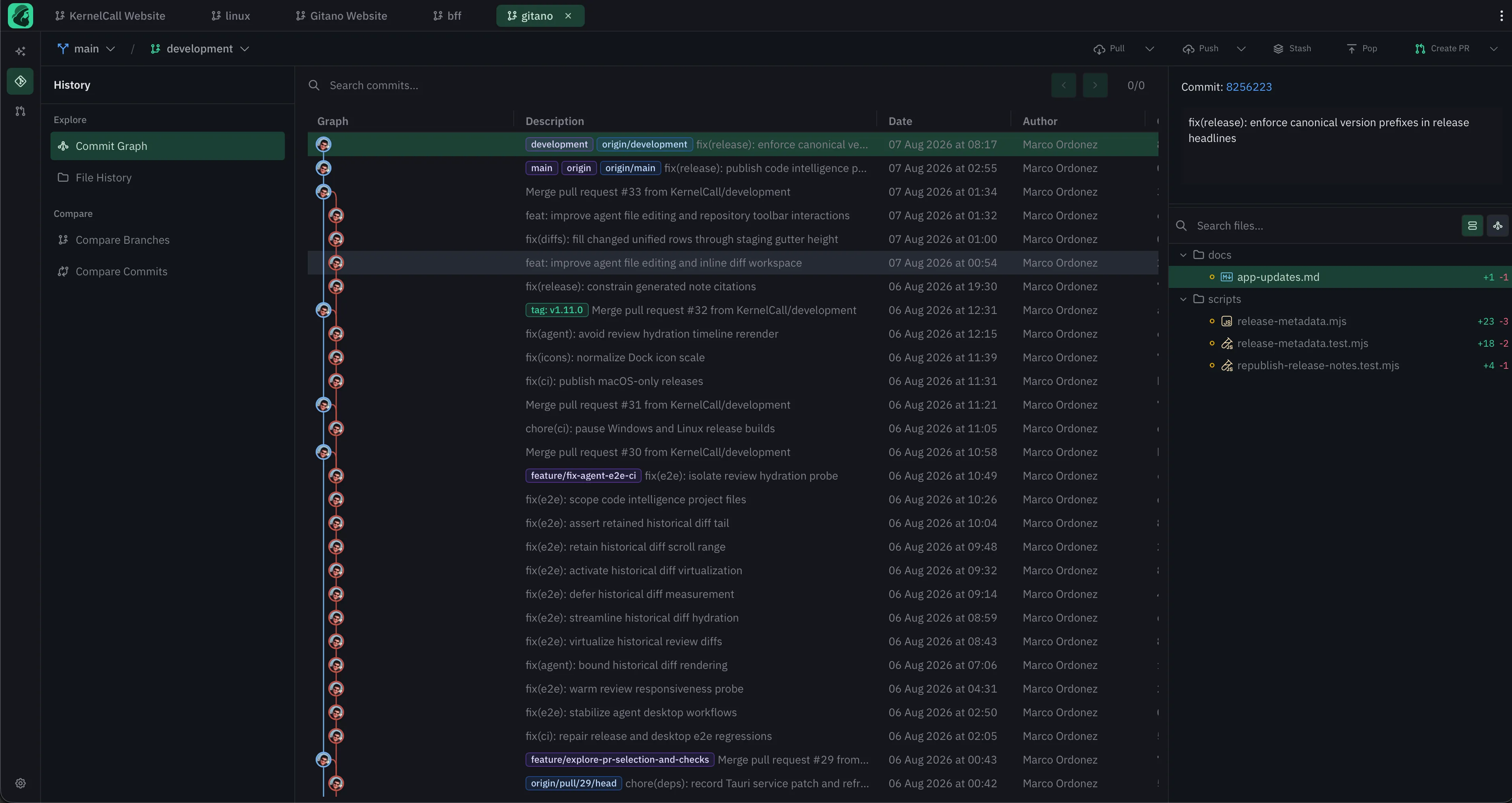
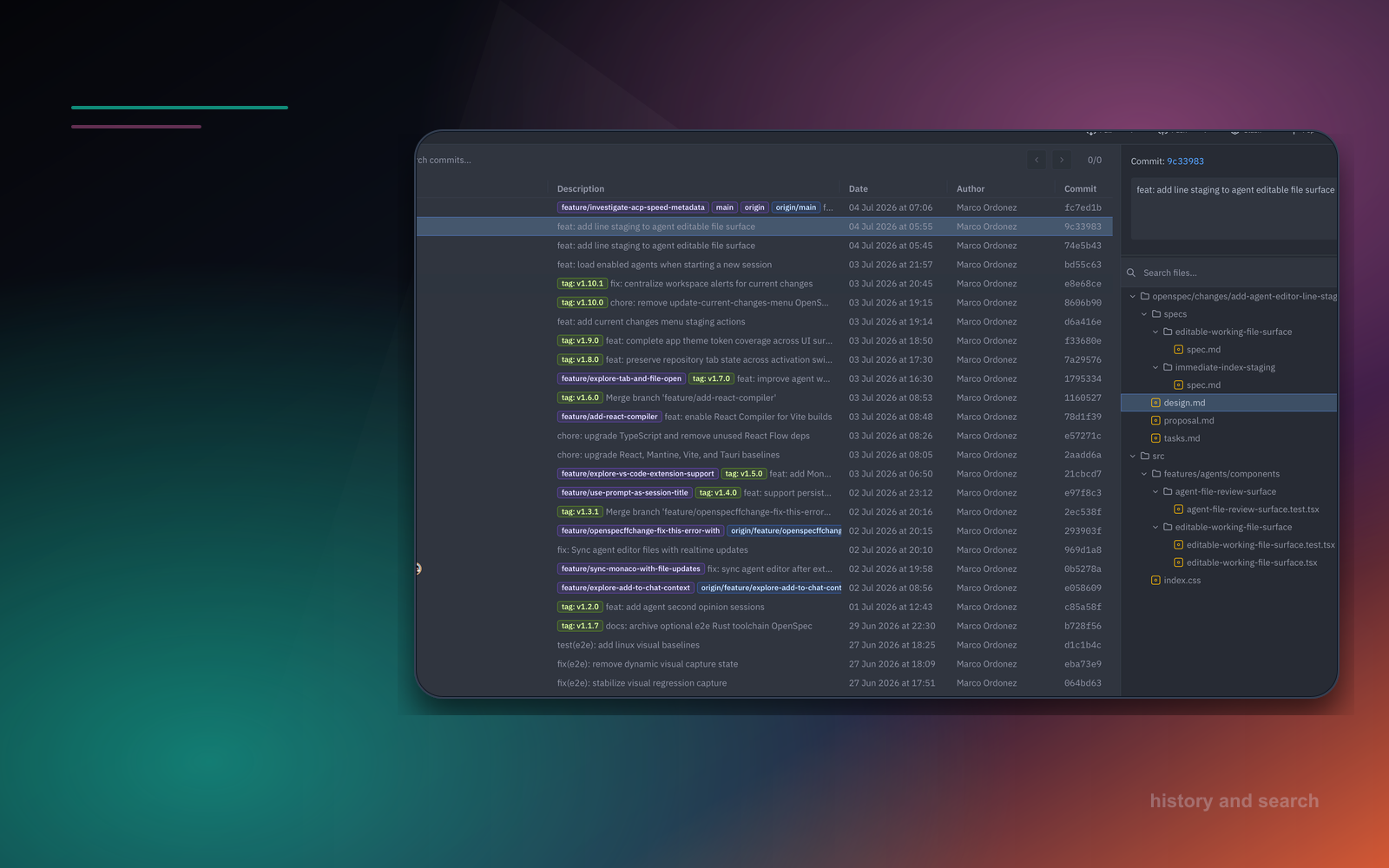
Maser commit graph showing branches, commits, authors, changed files, repository actions, and workspace context.
branch graphstaging controlsdiff viewsGitHub handoff

Precise changes

Stage files, folders, hunks, or lines and know exactly what is about to be committed.

Clear history

See branches, merges, tags, commits, and changed files together before choosing the next move.

Ready to ship

Move from a clean local decision to a confident GitHub handoff when the work is ready.

Current surface

Professional Git management

Manage Git with professional control.

Stage precisely, inspect diffs, compare branches, browse history, resolve conflicts, and move work to GitHub with confidence.

Context kept visible

branch graphstaging controlsdiff viewsGitHub handoff

Keep the context connected

The full Git surface for deliberate daily work.

Your development loop, agentified

Prompt to pull request without losing the thread.

Maser treats model output as an input to the development process, not the end of it. Every step stays connected to the repository state it came from.

01 · session

Start from a real repository.

Pick an installed ACP agent or local model and attach it to the active repository, branch, and worktree.

02 · context

Keep the context in frame.

Agent activity, referenced files, terminal output, project state, and prior turns stay attached to the same workspace.

03 · review

See exactly what changed.

Open files, inspect diffs, stage deliberately, and keep AI findings as local drafts before they become feedback.

04 · handoff

Move through GitHub.

Reply, resolve, approve, request changes, merge, or open a pull request when the work is ready to leave the machine.

workspace

Files + agent + Git

review state

Inspectable and reversible

handoff

Explicit by design

Agent-first, end to end

See Maser in action.

From the first prompt to the final pull request, Maser keeps the work visible in the same repository-aware workspace.

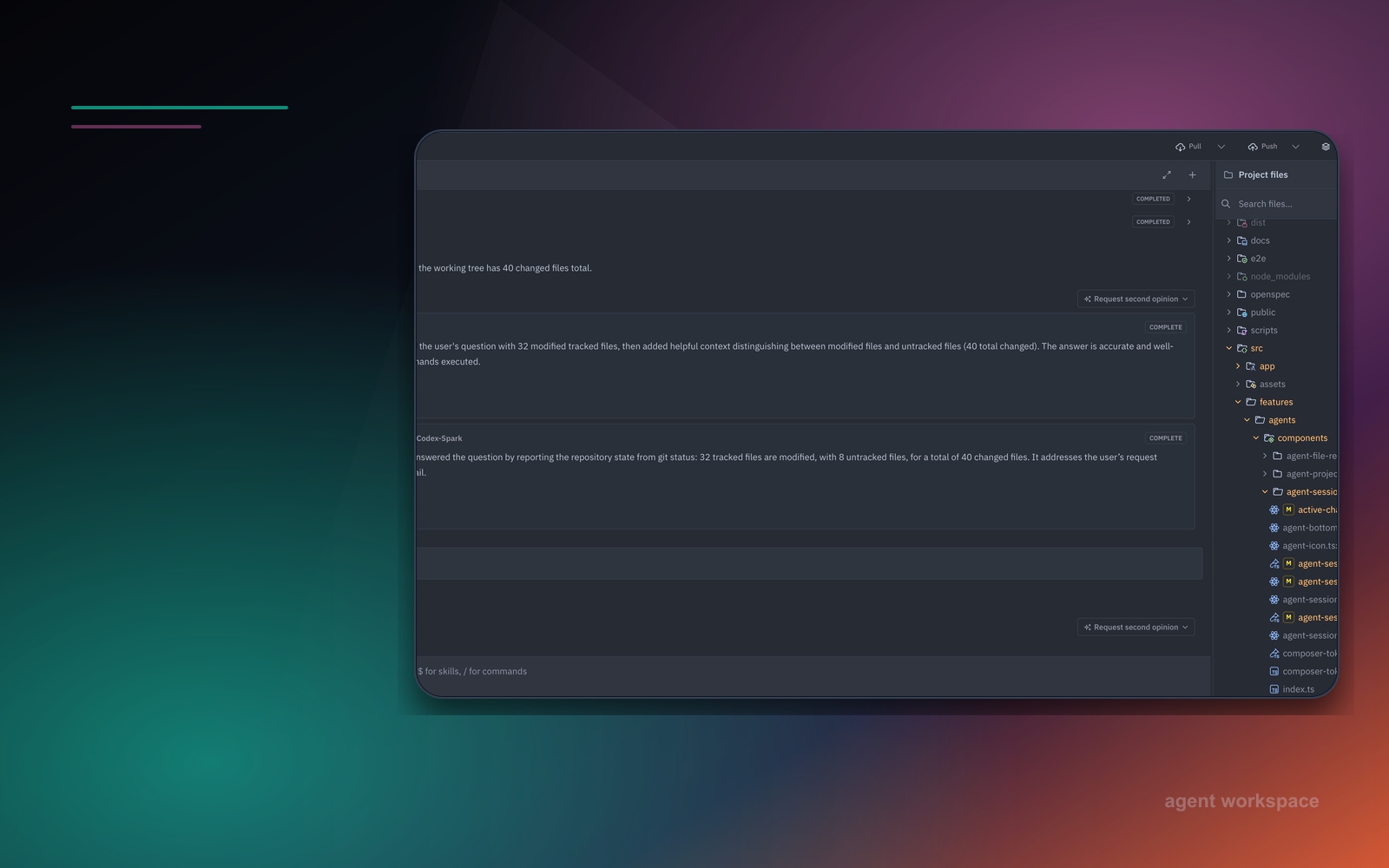
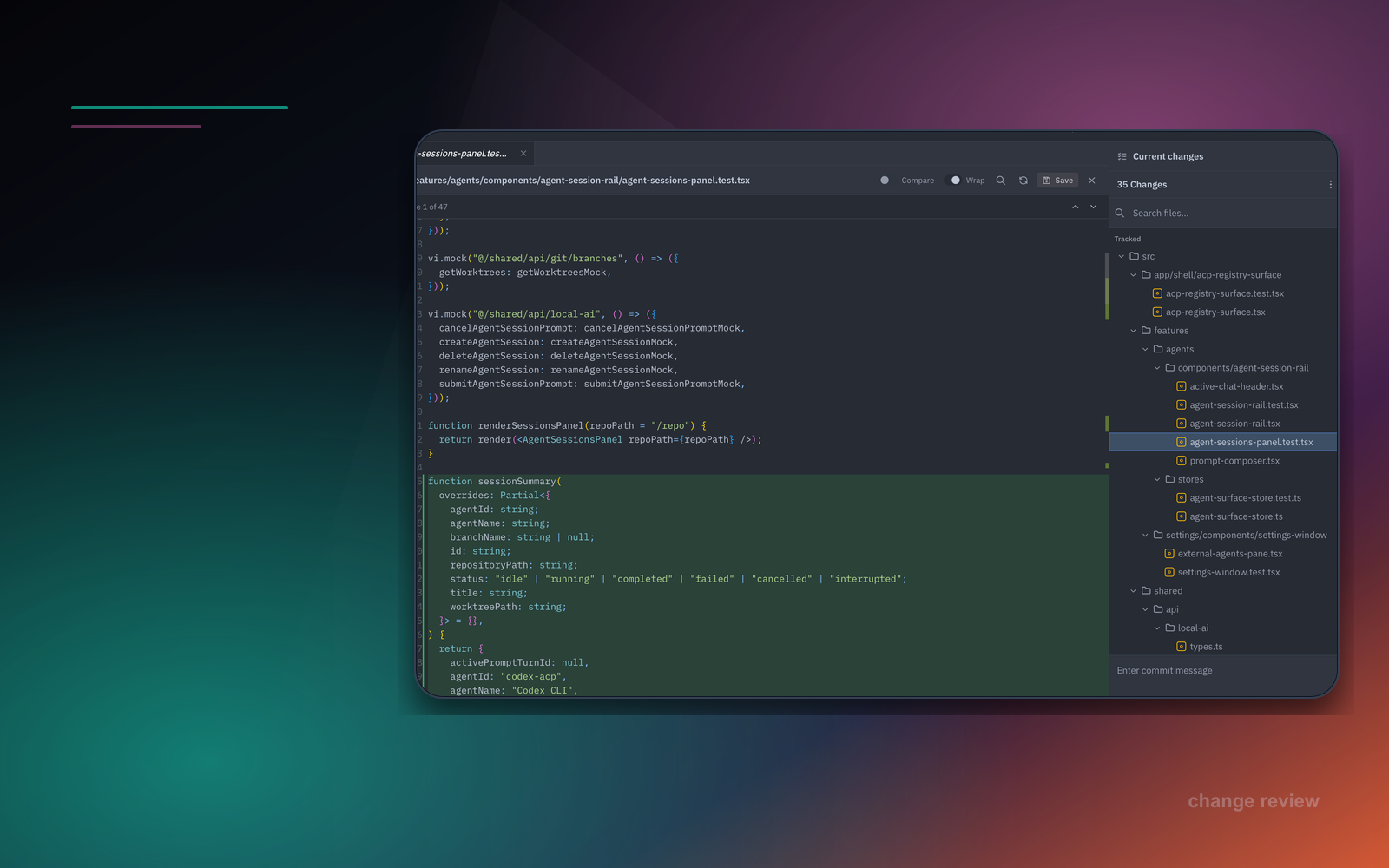
Maser agent workspace with chat, file tree, editor, and current changes visible together.
01 product view

Attach Agents to the Repository

Use ACP-compatible agents, current coding assistants, or local models in the same Maser workspace. The agent starts from a repository, worktree, branch, and durable session instead of a detached prompt.
See agents
Maser working changes screen with file list, diff viewer, and commit area.
02 product view

Review Real Files and Diffs

Inspect every changed file before it becomes history. Open editable files, compare previous content, stage changes, and keep dirty drafts safe when the disk changes.
Review diffs
Maser pull request and branch review screen with diff files and review comments.
03 product view

Move Work Through GitHub

Keep GitHub as the handoff without moving development into another cloud. Review PRs, read conversations, draft comments, approve, request changes, merge, or open PR creation.
Review PRs
Maser workspaces panel showing multiple active workspaces and branches.
04 product view

Keep Sessions Durable

Agent work survives across files, panels, and repository movement. Prompt turns, tool artifacts, branch context, and queued follow-ups stay tied to the right repository and worktree.
See workflow
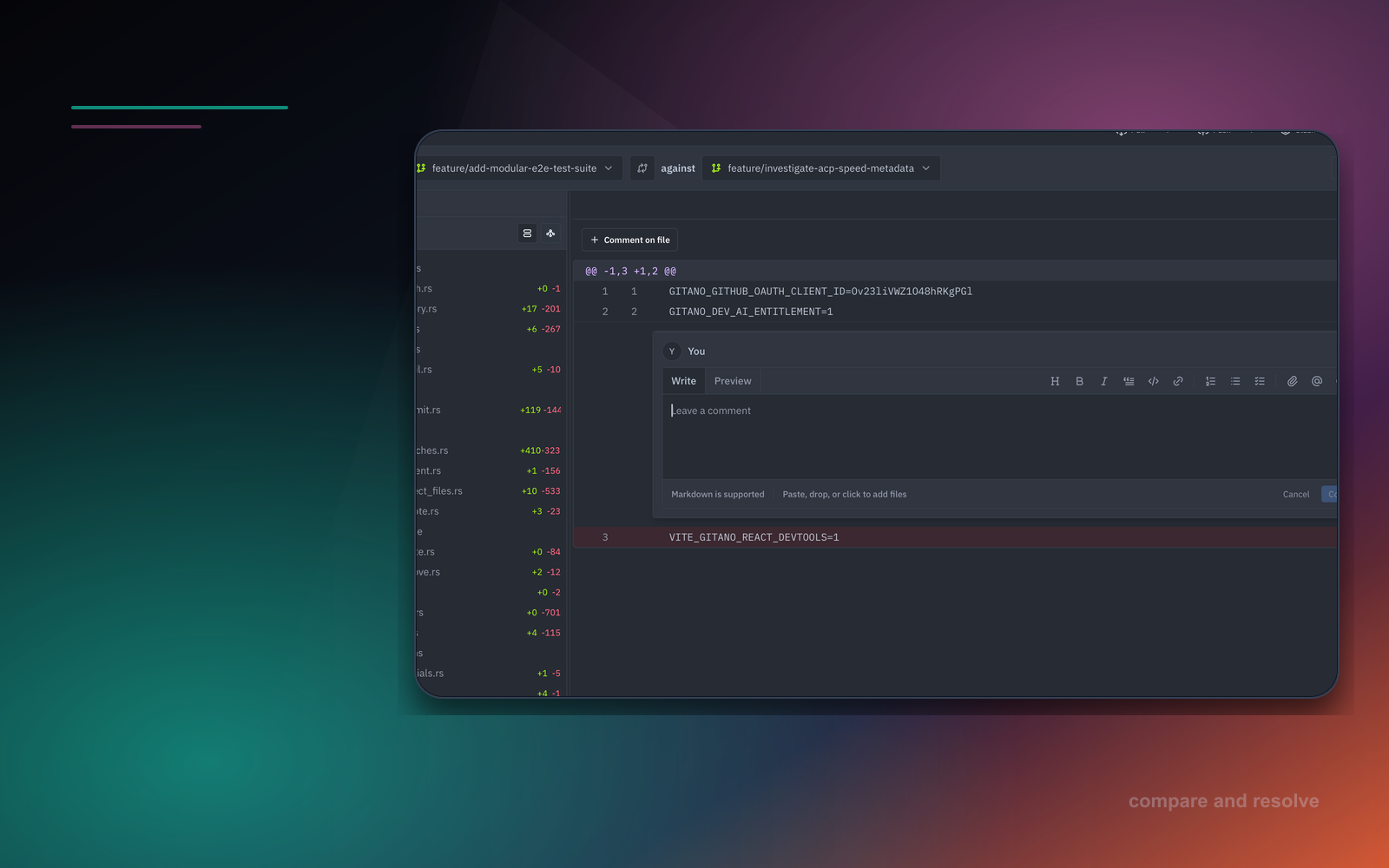
Maser branch comparison screen with changed files, diff context, and inline comment composer.
05 product view

Resolve Conflicts Safely

Ask for scoped conflict help without giving up control. Maser keeps AI candidates reviewable, checks stale state before applying, and leaves save and mark-resolved decisions to the developer.
Resolve conflicts
Maser commit history view with graph, changed files, and selected commit details.
06 product view

Use the Terminal as Part of the Workflow

Run setup, auth, and repository commands in Maser-managed terminal tabs. Sessions stay repository-scoped and can expand to fullscreen without losing agent context.
Open terminal

Maser core

Everything an agent needs to work in a real repository

Agent Sessions

  • Create durable sessions scoped to a repository and worktree, with history restored after restart.
  • Queue follow-up prompts, cancel running turns, and receive completion notifications.
  • Attach files, selected code, images, and supported website links to prompts.
  • See plans, commands, file reads, edits, terminal output, and resources as structured timeline events.
  • Request a read-only second opinion from another agent, model variant, or local model.

Agents and Skills

  • Browse, install, remove, and update ACP-compatible agents from the built-in registry.
  • Run installed agents such as Codex, Claude, Gemini, or Copilot in repository-scoped sessions.
  • Configure each agent's ACP-provided model, reasoning, approval, and sandbox options.
  • Complete provider authentication and setup in an interactive terminal without leaving Maser.
  • Search skills.sh, preview skills, and install or update them in the active repository.

Git Workflows

  • Stage or unstage files, folders, hunks, and individual lines; then commit, amend, and push.
  • Create, check out, rename, delete, merge, rebase, and fast-forward branches.
  • Create, activate, and remove branch or detached worktrees; move pending changes between worktrees.
  • Create and manage tags and stashes, browse commit history, and search repository content.
  • Resolve conflicts in an Incoming, Current, and Result editor with stale-state checks and optional AI help.

Diff and Review

  • Inspect working-tree, staged, commit, branch, and pull-request diffs in inline or split views.
  • Open changed files in Monaco, compare them with Git, edit, save, and stage selected lines.
  • Add local line-level draft comments while reviewing branch comparisons and pull requests.
  • Run AI branch reviews that return actionable findings anchored to changed lines; zero findings is valid.
  • Reopen completed agent turns with persisted before-and-after diffs, review findings, and line navigation.

GitHub Delivery

  • List open pull requests and review each one as a repository workspace.
  • Read conversations, commits, and review threads; reply to or resolve comments in context.
  • Draft inline comments, then submit a comment-only, approve, or request-changes review.
  • Merge with merge, squash, or rebase after explicit confirmation.
  • Use GitHub OAuth or GitHub CLI, and open pull-request creation for the active branch.

Local AI and Context

  • Download and run local models through Maser-managed Ollama setup.
  • Choose a global AI engine or override commit, branch, review, and conflict actions individually.
  • Keep agent sessions grounded in the files and repository state you choose.
  • Choose Basic or Structural context for agent sessions and local AI actions.
  • Reuse completed analysis only when the model, prompt, repository, and Git inputs are unchanged.

Safety and Approval

  • Allow agents to read repository files and run approved inspection commands, while blocking writes and path escapes.
  • Keep second-opinion runs isolated and read-only so they cannot change the primary session.
  • Keep AI review findings as local drafts until a developer explicitly submits them to GitHub.
  • Reject file saves when the on-disk content changed after the editor loaded it.
  • Validate conflict signatures before applying an AI fix or marking a file resolved.

Native Workspace

  • Run Maser as a Tauri desktop app with packaged builds for macOS, Windows, and Linux.
  • Keep multiple repository and worktree tabs open with workspace state restored per tab.
  • Run multiple terminal tabs per repository or worktree; sessions keep running when hidden or fullscreen.
  • Edit in Monaco with installable language support, configurable color themes, and themed file icons.
  • Use a command palette and configurable OS-aware shortcuts for navigation and workspace actions.

Built for agents, not retrofitted

The tool is the value. Not another AI service.

Maser does not sell a hosted coding service. It is the missing development tool: a native place to coordinate agents, files, terminal sessions, diffs, local models, and GitHub review.

runtime

Native desktop app

Run the development workflow on the machine where the repository already lives

agents

Bring any ACP agent

Install registry agents or use current tools such as Codex, Claude, Gemini, and local models

cost

Use existing subscriptions

Maser orchestrates providers instead of becoming another model subscription

handoff

GitHub stays canonical

Pull requests, reviews, approvals, and merge decisions stay in the team workflow

control

Human-reviewed changes

AI output stays inspectable before comments, commits, or merges happen

003

AI prepares the work. You decide what ships.

Run commit, branch, review, conflict, and second-opinion actions against real Git state. Maser returns reviewable output that you can edit, apply, submit, or discard.

Branch review

feature/retry-policy → main

local draft

Review prepared

3 findings on changed lines

7 files changed · Repository context

01 src/api/retry-policy.ts:84

logic

The retry budget resets before the request is confirmed successful.

02 src/storage/idempotency-ledger.ts:51

concurrency

Concurrent inserts can reserve the same idempotency key.

03 src/workers/retry-dispatcher.ts:119

diagnostic

The terminal failure path does not preserve the last provider error.

Findings remain local until you turn them into draft comments or submit a review.

Developer decision

Nothing moves forward by itself.

Maser keeps AI output inside the same repository workflow where you inspect files, diffs, drafts, and Git state.

  1. 01

    Inspect

    Open every finding on the changed line that produced it.

  2. 02

    Decide

    Edit, keep, or discard findings before they become feedback.

  3. 03

    Act

    Prepare local draft comments or open the affected file to edit it.

  4. 04

    Submit

    Send a review, commit, or merge only through an explicit action.

0

remote writes

0

files changed

3

local findings

Context-aware developer actions

Commit messages

Staged diff

Editable draft

Branch analysis

Base and head refs

Change summary

Code review

Changed lines

Anchored findings

Conflict help

Scoped file snapshot

Validated candidate

Second opinion

Read-only repository view

Isolated analysis

004

GitHub remains the handoff. Maser owns the preparation.

Keep pull requests, review comments, approvals, and merges in GitHub. Use Maser to inspect the local work, prepare the feedback, and submit only when the developer chooses.

github

Pull request surface

List open PRs, review conversations, commits, comments, replies, and changed files inline.

repository -> pull requests

github

Draft review feedback

Apply selected AI findings as editable draft comments before anything is sent to GitHub.

finding -> draft comment

github

Native review actions

Approve, comment, request changes, merge, or open PR creation for the active branch.

OAuth or gh fallback

Desktop
ACP
Local AI
GitHub OAuth
gh CLI
Tauri

005

Works with the access path your team allows.

Use GitHub OAuth when it fits. Fall back to the GitHub CLI when organization policy requires it. Either way, the repository surface stays the same.

Pricing FAQ

Pricing without another model bill.

Maser charges for the native development workflow. Your agents, local models, and provider subscriptions stay under your control.

01

What is free during the Developer preview?

The Maser desktop workflow is free during early access for individual developers. You can test it with local repositories, your installed ACP agents, local models, and existing model providers.

02

What are teams paying for in the pilot?

The Team pilot covers Maser setup around real repository work: the Developer preview workflow, a team repository review, GitHub access path setup, agent and local model configuration, and a priority product feedback loop.

03

Does Maser include AI model or API usage?

No. Maser is the repository workflow layer, not a bundled model subscription. Bring the providers, local models, ACP agents, and subscriptions your team already uses.

04

Can we evaluate Maser on one repository first?

Yes. A pilot can start with one team and one repository so the workflow, GitHub permissions, agent setup, and review process are clear before expanding.

05

What happens when the Team pilot ends?

The pilot is used to validate fit and scope a rollout. Any next step is agreed before it starts, with Maser pricing kept separate from your existing AI provider costs.

onboarding

Bring one repo. Use your agent. Review the work in Maser.

Start inside a local repository instead of a blank chat. Connect GitHub when review or handoff matters, choose an ACP agent or local model, and turn the first task into files and diffs you can inspect before anything is applied.

MS

Workspace ready

northstar-web

local repository

Agent task

turn complete

Make invoice retries idempotent and add tests.

Changed files

3 shown · 4 total

M src/api/invoices/create-invoice.ts +42 −8
A src/storage/idempotency-ledger.ts +31
M src/api/invoices/create-invoice.test.ts +67 −4

Next in Maser

Inspect the diff, edit the files, and decide what moves forward.

4

changed files

3

agent actions

0

remote writes